Free Lean Coffee Template: Board and Agenda

Clayton Lengel-Zigich
Published August 9, 2026
Use this free Lean Coffee template to gather topics, vote, and run a focused 30 or 45-minute meeting. Download the board or run it online with flowtopic.
A Lean Coffee template needs two things: a board with To discuss, Discussing, and Discussed columns, plus a timed agenda for gathering topics, voting, and discussion. Download the board below, print it in landscape orientation, and use the 45-minute agenda as your starting point.
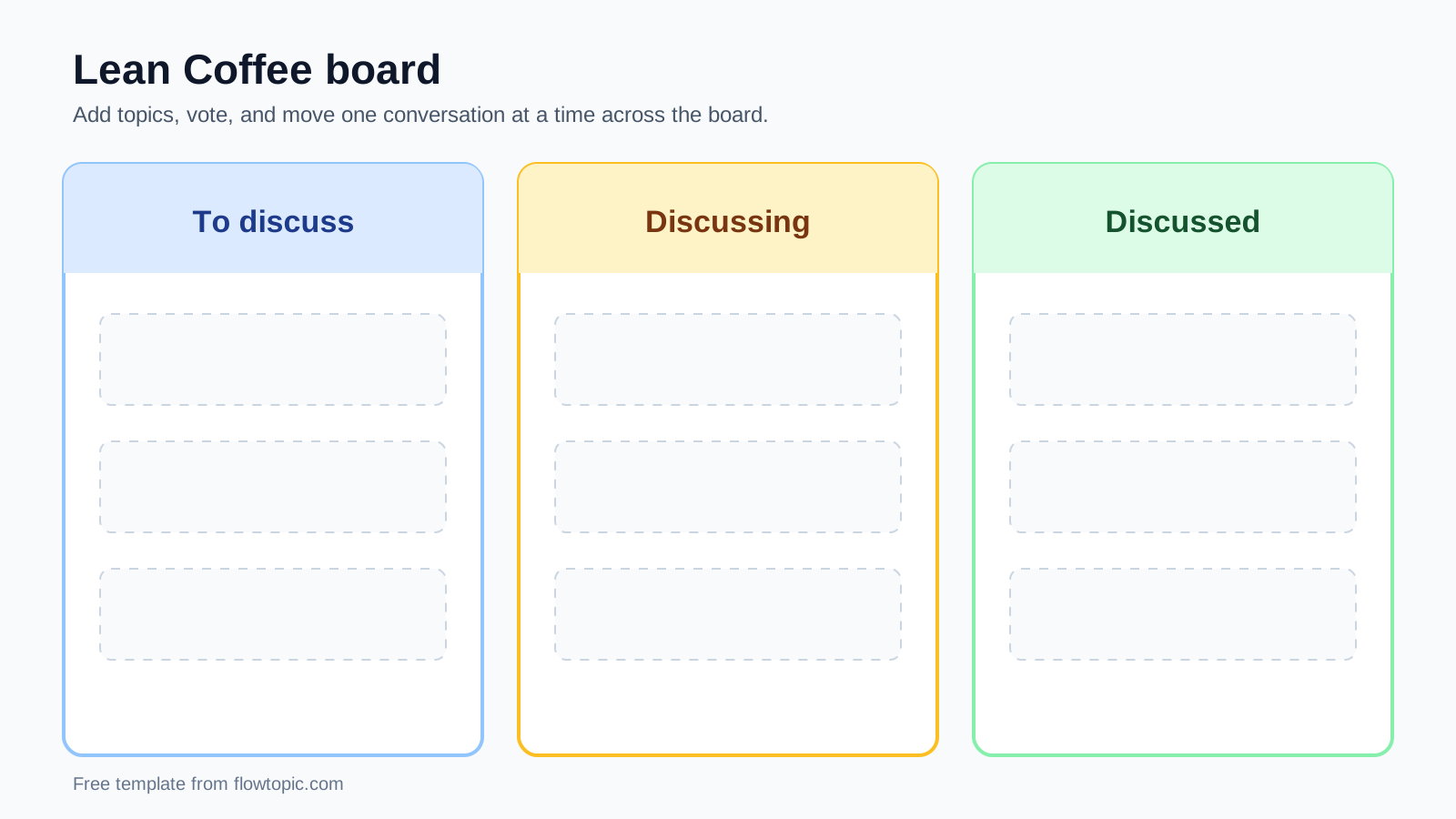
Print in landscape orientation at 100% scale, or display the board on a shared screen.
The official Lean Coffee website describes the format as a structured meeting without a preset agenda. The group creates the agenda together, then talks through the topics it voted to prioritize. This template follows that original flow.
45-minute Lean Coffee agenda
| Phase | Time | What the group does |
|---|---|---|
| Set context | 2 minutes | Agree on the theme, finish time, and voting rules. |
| Gather topics | 8 minutes | Write one idea, question, or problem per card. |
| Introduce topics | 3 minutes | Give each card a quick explanation before voting. |
| Vote | 2 minutes | Give each person two to five votes, then sort by total votes. |
| Discuss | 25 minutes | Discuss the highest-voted cards in 3 to 5 minute rounds. |
| Close | 5 minutes | Review decisions, owners, and anything left in To discuss. |
Adjust the timing to the group. A small group may need less time to gather topics. If the subject is sensitive or the group is new, give people another few minutes before voting.
How to use the Lean Coffee template
1. Set the meeting theme
Tell the group why you are meeting and when the meeting will end. A broad theme such as “team improvements” works, but a specific prompt usually produces better topics. For example: “What should we change before the next release?”
Do not prepare a full agenda. The participants will build it during the next step.
2. Gather topics
Give everyone 5 to 8 minutes to write topics. Use one card for each idea, question, or problem. Place every card in To discuss.
The first ideas tend to arrive quickly. Leave enough quiet time for people to get past the obvious topics. If the group stalls, ask a concrete prompt such as “What slowed you down this week?”
3. Vote on the topics
Ask each person to give a short explanation of their cards. Then give everyone two to five votes. People can put several votes on one card or spread them across the board.
Sort the cards by vote count. The most popular card should sit at the top of To discuss.
4. Discuss the top topic
Move the first card into Discussing and start a 3 to 5 minute timer. Keep one card in this column so everyone knows which conversation is active.
The facilitator watches the clock, invites quieter people into the conversation, and captures any decision or action item.
5. Vote to continue or move on
When the timer ends, ask for a quick thumbs-up or thumbs-down vote. A thumbs-up continues the topic for a shorter round. A thumbs-down moves the card to Discussed and brings the next card into discussion.
Use shorter extensions each time. A five-minute first round can become three minutes, then two minutes if the group still wants to continue.
6. Close the meeting
Stop on time, even if cards remain in To discuss. Review decisions and action items, name an owner for each action, and decide whether any unfinished topic belongs in another meeting.
Copy-and-paste facilitator script
Use these prompts as written or change them to fit your team:
Set context: “We have 45 minutes to discuss [theme]. You will create the agenda, then we will vote and start with the topics that matter most to the group.”
Gather: “Add one topic per card. Questions, ideas, problems, and things you want help with are all fair game.”
Vote: “You have three votes. Put them on the topics you most want the group to discuss.”
Discuss: “We will start with five minutes. When the timer ends, we will vote to continue or move on.”
Close: “Before we finish, what decisions did we make, and who owns each action item?”
Lean Coffee retrospective template
The same board works for a retrospective. Choose a prompt before the gathering phase, then ask participants to label each card with the matching category.
| Retrospective prompt | Labels to use |
|---|---|
| Start, Stop, Keep | Start / Stop / Keep |
| Mad, Sad, Glad | Mad / Sad / Glad |
| Simple sprint review | Worked / Did not work / Try next |
After everyone adds cards, return to the usual process: explain, vote, discuss, and close. The prompt helps people think. Voting decides what the team talks about first.
For a complete walkthrough, read how to run a Lean Coffee retrospective.
Printable board or online Lean Coffee tool?
Use the printable board when everyone is in the same room and can reach the cards. Sticky notes make it easy to add, sort, and combine topics.
For a remote or hybrid meeting, an online tool keeps the board visible to everyone. flowtopic also handles voting, timers, topic order, and votes to continue, so the facilitator does not have to manage several tools at once. See the features for remote Lean Coffee meetings or create a free account.
Lean Coffee template FAQ
What is a Lean Coffee meeting template?
A Lean Coffee meeting template is a three-column board and timed agenda for gathering topics, voting, and discussing the highest-priority topics first.
What columns belong on a Lean Coffee board?
Use three columns: To discuss, Discussing, and Discussed. Topics begin in To discuss, move to Discussing one at a time, and finish in Discussed.
How long should a Lean Coffee meeting take?
Plan 30 to 45 minutes for most Lean Coffee meetings. Spend 5 to 8 minutes gathering topics, 2 to 3 minutes voting, and most of the remaining time on discussion.
Can I use this Lean Coffee template for a retrospective?
Yes. Add a retrospective prompt such as Start, Stop, Keep or Mad, Sad, Glad, then use the same board, voting process, and timeboxed discussion.
Can I run this Lean Coffee template online?
Yes. Recreate the three columns in an online whiteboard, or use flowtopic to handle topic gathering, voting, timers, and discussion flow in one place.