Lean Coffee Retrospective: Remote Format + Template

Clayton Lengel-Zigich
Published January, 30th 2022 · Updated May 18, 2026
Run a Lean Coffee retrospective with a remote team. Use formats like Mad Sad Glad or Start Stop Keep, then vote, discuss, and leave with a plan.
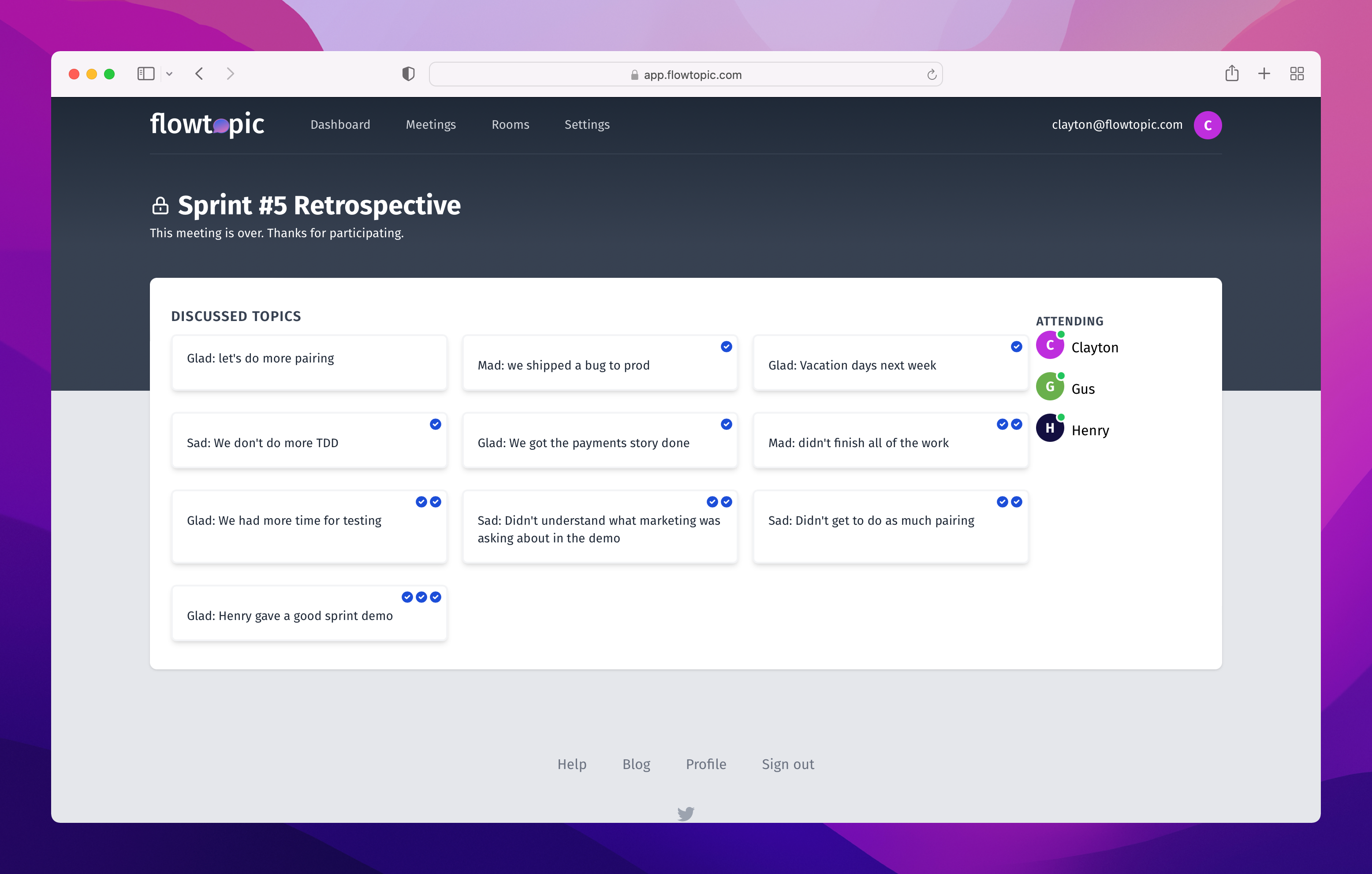
You can run a Lean Coffee retrospective with a remote team by combining a familiar retrospective prompt with Lean Coffee voting and timeboxed discussion. The format gives the team control over the agenda while keeping the meeting focused.
If you’re new to Lean Coffee, start with our complete guide to the Lean Coffee format. You can also download the free Lean Coffee template for a printable board and facilitator script. If you already know the basics, this guide shows how to use Lean Coffee for a remote retrospective, including formats, facilitation tips, and a 45-minute example agenda.
In this guide
- Suggested retrospective formats
- Tips for facilitating a Lean Coffee retrospective
- An example retrospective with timeline and tips
- Lean Coffee retrospective FAQ
- Running your next Lean Coffee retrospective
Lean Coffee retrospective formats
If your team already likes a retrospective format, keep it. Lean Coffee does not replace the prompt. It changes how the team chooses which topics to discuss.
When Esther Derby and Diana Larsen published “Agile Retrospectives: Making Good Teams Great” they laid out a five-phase structure that still works well for retrospectives:
- Set the stage
- Gather data
- Generate insights
- Decide what to do
- Close
Using the five phases
These five phases map cleanly to the flow of a Lean Coffee meeting. Here’s how to apply them to a Lean Coffee retrospective.
Set the stage
Before your Lean Coffee starts, remind participants why you’re there. Share what you’re trying to improve, what you hope to uncover, and what the team should leave with. Keep this short. You can usually set the stage right before participants start generating topics.
With the stage set, you’re ready to start gathering data.
Gather data
This is where Lean Coffee starts to earn its keep. As participants add topics to the queue, prompt them with questions that spark ideas, challenge assumptions, and help them get past surface-level complaints.
In addition to the topics that participants create, they also get to signal which are most important through a round of voting. Give the participants a limited number of votes and ask them to vote on topics they want to discuss.
With a list of topics sorted by their total number of votes, you’re ready to generate insights.
Generate insights
As you enter the discussion phase, ask participants to notice which topics received the most votes and which received the fewest. That quick reflection helps the team understand where the energy is before discussion starts.
During discussion, note which topics the team wants to keep discussing after the time box ends. When the conversation slows down, ask a follow-up question. And pay attention to quiet participants. They often see the issue from an angle the louder voices missed.
As the team is discussing topics, you can start thinking about what you’ll decide to do.
Decide what to do
As the facilitator, help the team decide what to do by capturing specific action items during discussion. These are usually owned by individuals, not the whole team. If the group keeps circling without landing on a decision, add one final topic: “What should we do next?” Putting that question in the queue gives everyone a chance to vote and weigh in.
Either approach works well, and it’s something worth experimenting with on your team.
Close
A Lean Coffee meeting is over when the topics run out or the time box ends. A retrospective needs a little more care. Save a few minutes to reflect on the session, celebrate wins, or let the team exhale at the end of the week.
When the meeting is over, save some time for closing out the retrospective.
Popular formats for Lean Coffee retrospectives
There are many popular retrospective formats. Some examples include:
- Mad, Sad, Glad
- What went well, what didn’t go well, what needs improvement
- Start, Stop, Keep
Formats like these are so popular because they help the team approach gathering data and generating insights from different perspectives. A team who failed their sprint might not be in a good mood, but with Mad, Sad, Glad, the team has an opportunity to reflect on what did go well.
Lean Coffee works with any of these formats because it changes the discussion flow, not the prompt.
For example, let’s say you want to use the “Start, Stop, Keep” format for your next retrospective.
- When participants are generating topics, ask them to prefix their topics with “Start,” “Stop,” or “Keep.”
- During the voting phase, ask participants to consider distributing an even number of votes on different “Start,” “Stop,” and “Keep” topics.
- While discussing the topics, remind the participants that this topic is a “Start,” “Stop,” or “Keep” topic.
Get creative by using different formats to keep your team energized and engaged.
How to facilitate Lean Coffee retrospectives
Facilitating a retrospective is hard work. The facilitator has to:
- Keep track of time
- Prevent strong voices from dominating the conversation
- Encourage quiet participants to share their perspective
- Transition the team from phase to phase
- Be constantly observing the team’s behavior and cues
Luckily, you can make use of Lean Coffee’s structured format to make facilitation a lot easier.
Help the team generate topics
Sometimes at retrospective the team finds itself exhausted, not wanting to participate. This can result in the team only generating a few surface-level topics, and a boring discussion to follow.
But you can help the team generate topics by giving them prompts during the gathering phase.
Help them dig deeper with questions like:
- What was something that surprised you?
- What’s got you feeling frustrated?
- Tell me about a time you were relieved.
Get them thinking about the future with questions like:
- What could have gone better?
- Where could we eliminate friction?
- Name a day when things went off track.
And help them self-reflect with questions like:
- How did you contribute to the outcome?
- When were you feeling most effective?
- Did things go how you expected?
With a handful of simple questions, you’ll be surprised at how many more, and more meaningful, topics your team will generate. flowtopic has built-in facilitator prompts that make this even easier.
Enforce the time box
Before the meeting starts, remind participants that you will be using a timer and strict time boxes to keep the meeting on track. Use a specific time box for each phase of the meeting, and agree up-front to the time boxes you’ll use when discussing topics. A standard breakdown of phases for an 45-minute Lean Coffee retrospective might look something like this:
- Gathering phase – 8 minutes
- Voting phase – 2 minutes
- Discussing phase – 35 minutes
- New topics – 5 minutes
- Extended topics – 2 minutes
During the gathering and voting phases, as the end of a time box approaches, announce to the participants that they’ve got “one minute left” and then “about 30 seconds” and finally “only a few seconds left.” This helps participants finish their task for that phase and keeps the meeting on time.
As you get into the discussion phase, use the end of a time box to interrupt the conversation and force a vote. This is the most powerful tool in the toolbox of a Lean Coffee retrospective facilitator. Simply interrupting with “time’s up, let’s vote” is enough to halt the conversation.
Leave with a plan for success
One of the main goals of a retrospective is a plan for improvement. When running a Lean Coffee retrospective, it’s important for the facilitator to keep track of potential action items. These action items can be used as goals for improvement.
Another option is to add a specific topic to the Lean Coffee for the sole purpose of creating a S.M.A.R.T. goal. This topic comes at the end of the meeting time box and is used to help generate a goal for improving next sprint.
Ready for virtual Lean Coffee Retrospectives?
Create an account and start running better meetings.
</div>
Example Lean Coffee retrospective
Now let’s take a look at an example using flowtopic. Designed to take 45-minutes, this retrospective follows the five phases, and uses the “Mad, Sad, Glad” format.
Gathering phase (0:00 - 0:08)
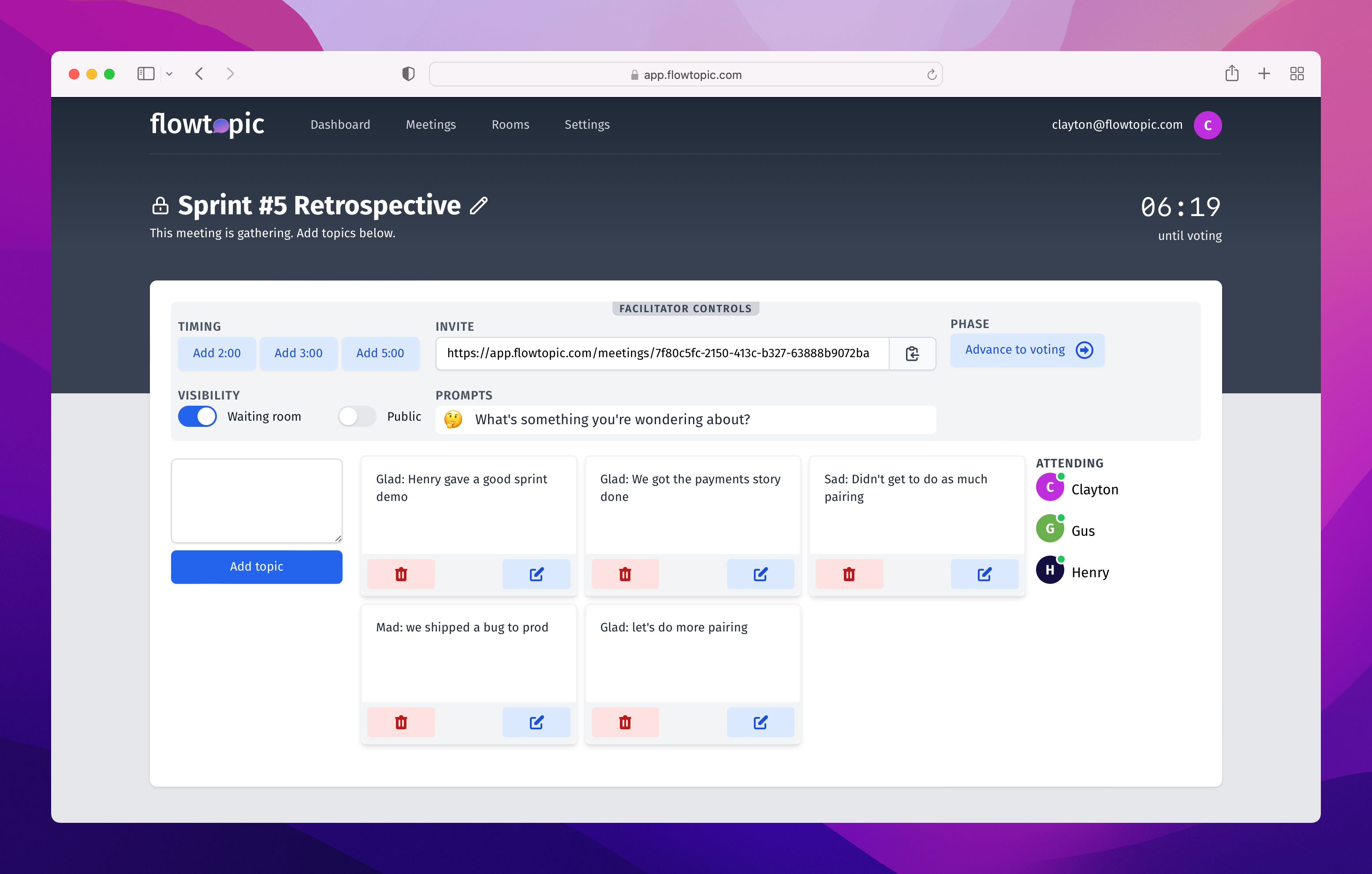
Keys to a successful gathering phase:
- Set the stage for the retrospective.
- Prompt participants with insightful questions.
- Use the full time; great topics usually come at the end.
Voting phase (0:08 - 0:10)
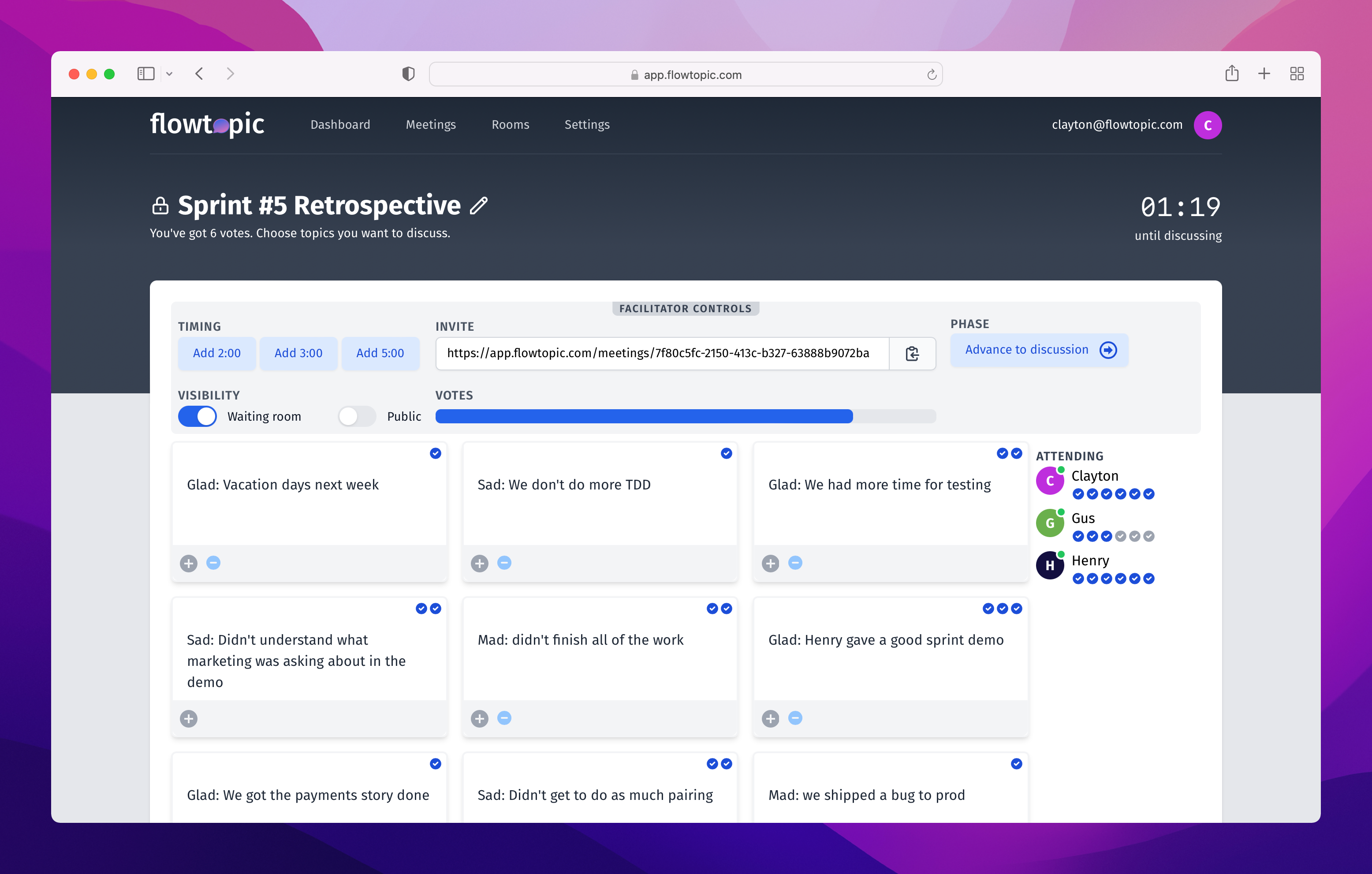
Keys to a successful voting phase:
- Encourage everyone to use all of their votes.
- Remind participants of important or impactful events.
- Keep it short. Save time for discussion.
Discussion phase (0:10 - 0:40)
Keys to a successful discussion phase:
- Keep the team on-track by using time boxes and voting.
- Take notes and capture action items.
- Add a topic at the end to “decide what to do.”
Lean Coffee retrospective FAQ
What is a Lean Coffee retrospective?
A Lean Coffee retrospective is a team retrospective that uses Lean Coffee voting and timeboxed discussion so the team chooses which topics matter most.
What Lean Coffee retrospective format should I use?
Start with a familiar retrospective format such as Mad Sad Glad, Start Stop Keep, or Sailboat. Use that format to help the team generate topics, then use Lean Coffee to vote and discuss the topics in priority order.
How long should a Lean Coffee retrospective take?
A 45-minute Lean Coffee retrospective usually works well: about 8 minutes to gather topics, 2 minutes to vote, and the remaining time for discussion. If the team is large or the topic is sensitive, schedule 60 minutes.
Your next Lean Coffee retrospective
Now you’ve got a workable format for your next Lean Coffee retrospective. If you want the mechanics handled for you, check out the flowtopic features teams use to run shorter remote meetings. Hiring a scrum master to facilitate? Our scrum master interview questions can help you screen for the right person.
And if you have suggestions for improving this guide, let us know at [email protected].